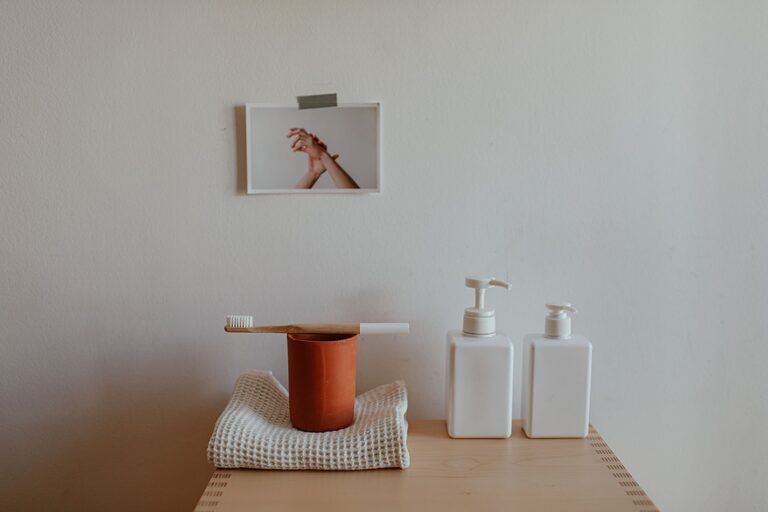

Creating a relaxing home workspace is essential for maintaining focus, reducing stress, and improving overall productivity. Whether you work remotely full-time or occasionally from home, your environment plays a crucial role in how you feel and perform throughout the day. In this post, we’ll guide you through practical steps to design a calming, comfortable workspace that suits your needs.
Why a Relaxing Workspace Matters
Your workspace directly impacts your mood and efficiency. A cluttered or uncomfortable area can cause distractions, fatigue, and even physical discomfort. On the other hand, a well-organized, soothing space encourages concentration and creativity. Making your home office a place you look forward to using can make a big difference in your daily work experience.
Step 1: Choose the Right Location
Find a Quiet Spot
Select a corner or room with minimal noise and foot traffic. This helps you maintain focus and avoid interruptions.
Consider Natural Light
Place your desk near a window if possible. Natural light reduces eye strain and improves your mood. If natural light isn’t available, use soft, adjustable lighting instead.
Step 2: Invest in Comfortable Furniture
Ergonomic Chair
A supportive chair that encourages good posture prevents back and neck pain during long work hours.
Adjustable Desk
An adjustable or standing desk allows you to change positions, which can reduce fatigue.
Adequate Desk Space
Choose a desk large enough to hold your computer, accessories, and workspace essentials without feeling cramped.
Step 3: Organize Your Workspace
Declutter Regularly
Keep only the items you need on your desk. Store other materials in drawers or shelves to maintain a tidy look.
Use Storage Solutions
Organizers, file holders, and baskets help keep papers and supplies in order.
Cable Management
Use clips or sleeves to keep cords under control and prevent a messy appearance.
Step 4: Incorporate Calming Elements
Add Greenery
Plants can improve air quality and create a peaceful atmosphere.
Choose Soothing Colors
Soft, neutral tones or pastels on walls and decor reduce stress and promote calmness.
Personal Touches
Display a few meaningful items such as photos, artwork, or inspirational quotes to make your space inviting but not distracting.
Step 5: Manage Noise and Distractions
Use Noise-Canceling Headphones
These help block out background sounds for better concentration.
Background Music or White Noise
Gentle music or white noise can increase focus for some people.
Limit Digital Interruptions
Turn off unnecessary notifications and set specific times to check emails or messages.
Step 6: Set Up Proper Lighting
Layered Lighting
Use a combination of overhead lights, desk lamps, and ambient lighting to reduce eye strain.
Adjustable Brightness
Choose lamps with dimmable features so you can adjust light levels throughout the day.
Step 7: Take Care of Your Well-being
Regular Breaks
Step away from your desk every hour to stretch and rest your eyes.
Easy Access to Water and Snacks
Keep a water bottle and healthy snacks nearby to stay energized.
Keep Air Fresh
Open a window occasionally or use an air purifier to maintain good air quality.
Final Thoughts
Creating a relaxing home workspace is about balancing functionality with comfort. By choosing the right location, investing in ergonomic furniture, and adding calming touches, you can transform your work area into a productive sanctuary. Remember that small changes often make a big impact, so start with what fits your space and needs best.
A comfortable and organized workspace supports both your professional success and personal well-being. Enjoy crafting a space that feels just right for you!
About the Author